Free Video Editing For Beginners Guide
The digital landscape is evolving faster than ever, and video content has quietly become the backbone of modern Web Design, SEO, and Digital Marketing strategies. From short-form social clips to long-form storytelling, the ability to edit videos effectively is no longer optional, it’s essential. What’s interesting is that many successful creators didn’t start with expensive tools or advanced skills, but with a simple understanding of how to shape raw footage into something meaningful and engaging.
Behind many high-performing videos lies a simple but powerful principle: mastering free video editing beginners techniques allows anyone to create content that not only looks good but also performs well in search engines. When paired with strategic thinking and audience awareness, even basic editing skills can unlock massive opportunities in visibility, engagement, and growth across digital platforms.
Getting Started With Video Editing
Getting started often feels overwhelming, especially when you’re faced with countless tools and tutorials. But here’s the truth, video editing becomes much simpler when you understand the core principles and focus on what actually matters for your goals.
If your aim is to grow online, whether through SEO, content marketing, or personal branding, then following a structured beginner video editing tutorial approach will help you stay focused and avoid unnecessary complexity.
Basic editing concepts and workflow
At its essence, video editing is about organizing ideas visually. You begin by importing clips, arranging them logically, trimming unwanted parts, and exporting a polished version. This workflow mirrors how websites are built, structure first, then refinement.
Understanding concepts like video storytelling structure, content flow optimization, and visual engagement strategy helps you go beyond basic edits and start thinking like a creator who designs experiences, not just videos.
Understanding timeline and cuts
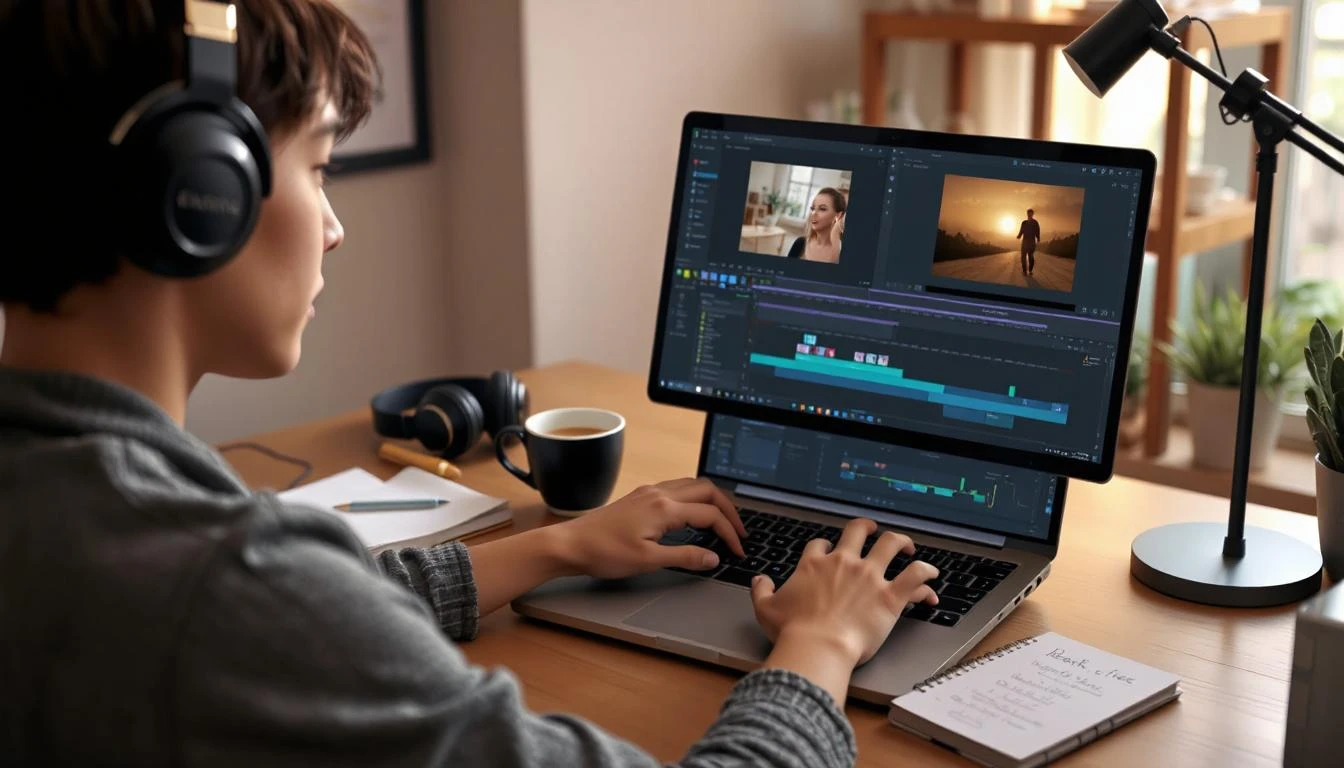
The timeline is where everything comes together. It’s where you control pacing, sequence, and timing. Clean cuts help maintain attention, while poorly placed edits can disrupt the viewer’s experience.
Using techniques like jump cuts, seamless transitions, and frame-level precision editing ensures your content feels smooth and professional. These details may seem small, but they significantly impact retention and engagement.
Choosing beginner friendly tools
Choosing the right tool can accelerate your progress. Beginners should look for software that balances simplicity with functionality.
Search trends show high demand for tools related to easy video editing software, no watermark editing tools, and simple drag-and-drop editors. These tools remove friction and allow you to focus on creativity rather than technical hurdles.
Essential Editing Techniques for Beginners
Once you understand the basics, the next step is applying techniques that make your videos stand out. This is where your content starts to feel intentional and impactful rather than random and unpolished.
The key is not to overwhelm yourself, but to master a few essential techniques that deliver the highest value for both viewers and search engines.
Cutting and trimming clips
Trimming is one of the most powerful yet underrated skills in editing. Removing unnecessary pauses, mistakes, or filler content keeps your video concise and engaging.
Techniques like precise clip trimming, content pacing control, and attention-focused editing are crucial, especially in an era where viewers decide within seconds whether to continue watching.
Adding transitions and effects
Transitions help guide the viewer smoothly from one scene to another. When used correctly, they enhance storytelling and maintain flow.
Focus on smooth transition effects, minimalist visual effects, and cinematic continuity techniques. Overusing flashy effects can distract rather than impress, so subtlety often leads to better results.
Using text, music, and subtitles
Adding text and subtitles improves accessibility and engagement, especially for viewers who watch without sound. Music, on the other hand, sets the emotional tone of your content.
Incorporating subtitle optimization, royalty-free background music, and text animation techniques not only enhances user experience but also supports SEO performance, as platforms increasingly prioritize accessible content. As Brian Dean once emphasized, “content that is optimized for both users and search engines consistently outperforms content that focuses on just one side.”
Free Tools for Video Editing
You don’t need to invest heavily to start creating high-quality videos. There are plenty of free tools available that offer impressive features for beginners.
The key is choosing tools that align with your workflow and content goals, whether you’re editing for social media, YouTube, or digital campaigns.
Mobile editing applications
Mobile editing apps are perfect for quick and flexible content creation. They allow you to edit videos anytime, anywhere.
Many apps now support features like mobile video editing tools, real-time filters, and instant sharing capabilities, making them ideal for social media-focused creators.
Desktop editing software
Desktop software provides more advanced control and precision. It’s suitable for longer or more complex projects that require multiple layers and detailed adjustments.
Features like multi-track editing, high-resolution exports, and advanced timeline control make desktop tools a strong choice for scaling your content quality.
Online editing platforms
Online editors offer convenience without installation. They are especially useful for collaborative projects and quick edits.
With the rise of cloud-based video editing platforms, creators can now work from anywhere while maintaining efficiency and flexibility. As Neil Patel highlights, “creators who leverage accessible tools while focusing on strategy tend to scale faster than those who rely solely on expensive resources.”
Create Your First Video With Free Editing Tools Today
Starting your first video project might feel intimidating, but it’s actually where the most growth happens. The moment you begin experimenting, you start understanding what works and what doesn’t.
Think of your first video not as a final product, but as a foundation. Each edit, each adjustment, and each upload builds your confidence and sharpens your skills. Over time, you’ll notice how your content aligns better with audience expectations and search intent. The real breakthrough comes when you stop overthinking and start creating consistently. That’s when your skills evolve, your content improves, and your visibility grows naturally.